

Mailchimp template design that looks good, works properly and stays easy to use
Are you still replicating old emails despite the glitches and the fact they look rubbish and inconsistent?
Are you still using Mailchimp’s legacy builder, knowing that it’s out of date and inflexible?
Are you creating your Mailchimp designs as images on Canva to get the layout as you want it?
Do your emails look dreadful on mobiles?
Did you get a design from someone on Fiverr which looked good on the surface but is terrible now you’re trying to do anything else with it?
Are you needing to rely on designers or get emails coded every time, slowing the whole process down and making it hard to get email campaigns actually sent?
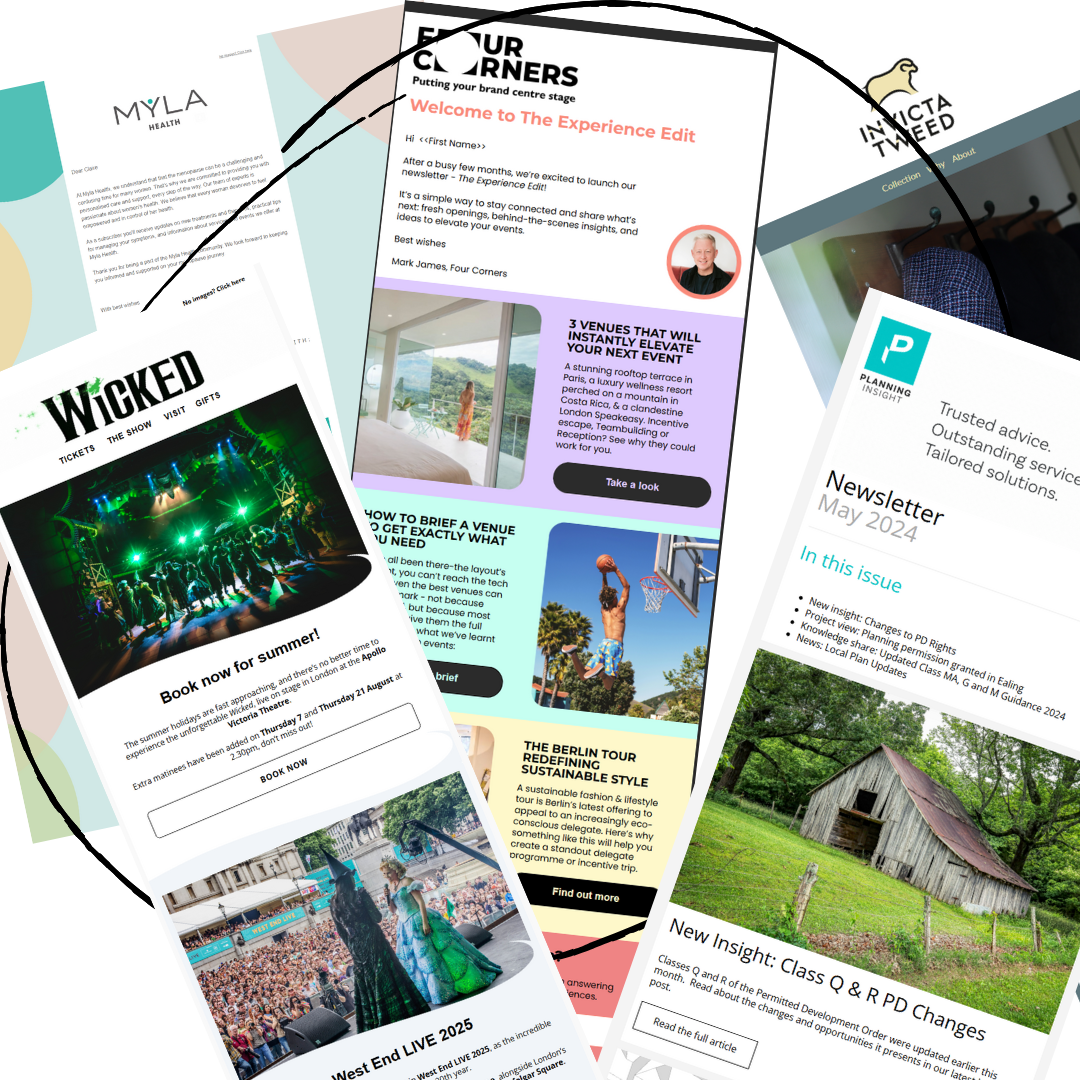
I can help
I design and build Mailchimp email templates that look properly on-brand, behave consistently, and are easy for real humans to use afterwards. Because a good Mailchimp template should not just be pretty on the surface. It should have the right structure underneath too - with clear styles, responsive layouts, reusable sections and enough flexibility that you are not starting from scratch every time you want to send an email.
Whether you need a template in Mailchimp’s new builder, help with an older legacy builder template, a set of saved sections, a custom-coded template or something a bit hybrid, I’ll help you choose the right approach for how your organisation actually works.
Mailchimp templates that do more than sit there looking pretty
A good email template should make your life easier.
It should help your campaigns look consistent, feel recognisably yours, and guide people towards the action you want them to take. It should also stop you spending half a day battling with columns, buttons, image sizes and mysterious spacing issues.
Lovely design is important. Obviously. We are not monsters. But a template also needs to be practical. That means thinking about:
your brand colours, fonts, logos and visual style
how the email displays on desktop, mobile, light and dark mode, and for Outlook users
how your team will edit it
what sections you use again and again
how calls to action are positioned
how readable and accessible the email is
whether the template is flexible enough for different campaign types
whether the underlying styles are doing their job properly.
Because if the styling is only surface-level, things can get messy very quickly. Headings become inconsistent. Buttons look different from one email to the next. Mobile display goes a bit wonky. Someone copies an old campaign from 2021 and accidentally re-opens a can of worms.
We do not need that kind of drama. No sirree bob.
New builder, legacy builder, custom-coded or hybrid?
Mailchimp has changed a lot over the years, and templates are one of the areas where people can quite understandably get muddled.
Some accounts use Mailchimp’s new builder and even newer “saved sections” feature. Some still rely on the legacy builder (rumour has it that Mailchimp will be phasing the legacy builder out in the not too distant future). Some need custom-coded templates. Some need a hybrid approach that gives more control while still allowing the team to edit key sections without needing a developer every five minutes.
I can advise you on the best format for your needs.
Mailchimp new builder templates
The new builder can be a great option if you want flexible layouts, reusable saved sections and a more modern editing experience. It is particularly useful if your team needs to build regular emails without leaning on a designer every time.
I can create templates and saved sections that make sense for the kind of content you actually send, such as newsletters, event promotions, updates, appeals, announcements or product/service emails.
Mailchimp legacy builder templates
The legacy builder still matters, but much less so and is no longer being supported or updated with new features. Rumour has it that it’s being grandfathered in the next 12 months. Some organisations have older templates they are attached to, existing processes built around them, RSS emails, or custom-coded layouts that need to be maintained, improved or rebuilt carefully.
I can review what you already have and advise whether it is worth keeping, refreshing, simplifying or moving into a different format.
Custom-coded and hybrid Mailchimp templates
Occasionally you need more control than a standard drag-and-drop template gives you. In those cases, a custom-coded or hybrid template may be the right option.
This can be useful if you have strict brand guidelines, a more complex layout, specific content requirements, or a team that needs editable sections within a more controlled design framework.
In short: I will not force you into whichever template format happens to be trendiest this week. I’ll help you choose the one that best fits your brand, your team and your sanity.
What I can help with
I can design, build, refresh or improve:
branded Mailchimp newsletter templates
responsive Mailchimp email templates
Mailchimp new builder templates
legacy builder template updates
custom-coded Mailchimp templates
hybrid templates
saved sections for repeat content
event email templates
charity appeal templates
internal update templates
welcome email layouts
customer journey email templates
campaign templates for launches or promotions
templates for teams with strict brand guidelines
templates for small businesses who need things to look much more professional without making life complicated
Saved sections for emails you send again and again
If you send regular emails, saved sections can be a massive time-saver.
Instead of rebuilding the same types of content every time, you can have reusable sections ready to drop in when needed. These might include:
branded headers
newsletter intros
contents sections
event listings
donation appeals
product or service highlights
team updates
testimonial blocks
call-to-action sections
quick links
website menus
footers
sign-off sections
regular feature blocks
This is especially useful if more than one person works in your Mailchimp account, or if you want your emails to stay consistent without needing someone to police every font size and button colour like a tiny branding goblin.
Saved sections help make your email process faster, easier and more consistent.
Responsive Mailchimp email design
Your emails need to work on desktop, tablet and mobile.
That sounds obvious, but it is where a lot of DIY or older templates start to fall apart. Columns stack strangely. Images crop badly. Buttons become awkward. Text gets too small. Spacing suddenly develops a personality of its own.
When I design or improve a Mailchimp template, I look at how the design behaves across different screen sizes and email clients. The aim is to create emails that are clear, readable and easy to engage with, wherever your audience happens to open them.
Built around your brand
I’ve worked with organisations from tiny start-ups with barely any branding through to large global organisations with extremely rigid brand guidelines, and plenty of gloriously messy situations in between.
I can work from:
full brand guidelines
a website and logo
existing campaign designs
printed materials
Canva designs
“we sort of use these colours but nobody knows why”
or the classic small business brand system of “it’s in someone’s head and possibly a Dropbox folder”
Wherever you are starting from, I’ll help turn your brand into a practical Mailchimp email design system.
That means thinking about the visible design and the underlying structure: headings, fonts, colours, button styles, spacing, image treatments, reusable sections and the overall flow of the email.
Not just “ooh, that looks nice”.
More “ooh, that looks nice and I can actually use it next month without crying”.
How the process works
1. We look at what you already have
I’ll review your existing Mailchimp campaigns, templates, branding and email goals. We’ll look at what is working, what is not, and what is currently making the whole process harder than it needs to be.
2. I advise on the best template approach
I’ll recommend whether you are best using the new builder, legacy builder, saved sections, a custom-coded template or a hybrid set-up.
This decision depends on your brand, your account, your content, your team and how much flexibility you need.
3. I design and build the template
I’ll create a Mailchimp template that is on-brand, responsive, easy to edit and structured around the emails you actually send.
This may include a main template, alternative layouts, saved sections or specific campaign templates depending on what you need.
4. We test and refine
I’ll check the design, layout, links, mobile display and usability. I’ll also make sure the template is not just good-looking on the surface, but practical for day-to-day use.
5. I show you how to use it
Once the template is ready, I’ll train you or your team so you know how to use it properly. No mystery. No “here’s a template, good luck out there”. You’ll understand what to edit, what not to touch, and how to create emails without breaking the design. I can also support you for the first few sends while you get the hang of using it - checking drafts, hopping onto Teams to answer questions etc.
6. I can support you afterwards
Need tweaks later? Want another section? Changed your branding? Someone accidentally did something odd with a button? It happens. I can provide ongoing support if you need it.
Who this is useful for
This service is ideal if:
your Mailchimp emails do not match your brand
your newsletters take too long to build
your emails look inconsistent
your team keeps copying old campaigns and hoping for the best
your template is too rigid
your template is too easy to break
your emails do not display well on mobile
you are not sure whether to use the new builder or legacy builder
you want saved sections to speed up regular emails
you need a custom-coded or hybrid Mailchimp template
you want your emails to look more professional
you want your team to feel more confident using Mailchimp
Why work with me?
I’m Claire Witz, founder of Chimpology and top global Mailchimp fully certified expert Pro Partner with over 15 years’ experience (and an art background).
I specialise in making Mailchimp work properly for businesses, charities, marketing teams and organisations that have ended up with an account full of good intentions and chaos.
I bring together Mailchimp expertise, marketing strategy, a creative eye and design sense and a very practical understanding of how teams actually use email platforms.
Because the best template is not the fanciest one. It is the one your team can use, your audience can read and your brand can be proud of.
FAQs
Can you design templates in Mailchimp’s new builder?
Yes. I can design and build Mailchimp templates in the new builder, including reusable saved sections to make regular emails quicker and easier to create.
Can you help with Mailchimp legacy builder templates?
Yes. If you already have templates in the legacy builder, I can review, improve, rebuild or advise on whether they should stay there. In some cases, legacy builder is still the right choice, especially for certain custom-coded templates or RSS-based emails.
Can you help me decide which Mailchimp builder to use?
Absolutely. This is one of the most useful parts of the process. I’ll look at your account, your team, your content and your goals, then recommend whether the new builder, legacy builder, custom code or a hybrid approach makes most sense.
Can you make my Mailchimp emails responsive?
Yes. Responsive design is a key part of template design. I’ll consider how your emails display across desktop and mobile so they are clear, readable and easy to engage with.
Can you create saved sections in Mailchimp?
Yes. Saved sections are ideal if you send regular emails and reuse similar types of content. They can make your email process faster, more consistent and less fiddly.
Can my team edit the template themselves?
That is the point. I design templates to be usable, not precious little design artefacts that collapse the moment someone changes a heading. I’ll also provide training so your team knows how to use the template confidently.
Can you fix an existing Mailchimp template?
Yes. Sometimes a template needs a full rebuild. Sometimes it just needs tidying, restructuring or improving so it is more flexible and easier to use. I can advise on the best route.
Do you work with strict brand guidelines?
Yes. I’ve worked with organisations with very detailed brand requirements, as well as businesses and charities that need help translating loose branding into something more consistent.
Do you offer training after building the template?
Yes. I can train you or your team so you know how to use the template, edit sections, create campaigns and avoid the common “why has everything moved?” moments.
Ready to make your Mailchimp emails easier to send?
If your Mailchimp emails need to look better, work harder and stop being such a faff, I can help.
Tell me what is annoying you about your current Mailchimp templates and I’ll help you work out the best next step.